GitHub Copilot for SAP Developers Workshop
Duration: ~2 hours 30 minutes (150 min)
Format: Presentation + Live Demo + Discussion
Audience: SAP developers, technical leads, architects, BTP/extension developers, and integration engineers
Focus: Where GitHub Copilot fits in SAP development today — ABAP in Eclipse, SAP-adjacent workflows in VS Code, and the path toward SAP-connected agents
Reference repos: capire/bookshop (CAP bookshop — runs locally, no live backend) · Eclipse Marketplace: GitHub Copilot (ABAP-in-Eclipse track)
Companion documents: Slides · Lab Guide
Note: This workshop is intentionally designed to avoid a fake ABAP hands-on demo when no live SAP development environment is available. It builds credibility by showing the supported ABAP story (now a real, documented integration), demoing genuinely SAP-native workflows live in VS Code with the SAP CAP framework, and separating present reality from future-state architecture.
Workshop Overview
This workshop helps SAP-focused development teams understand where GitHub Copilot improves productivity today — even across teams at different levels of GitHub maturity. Copilot is a productivity accelerator and code-understanding partner rather than an autonomous SAP expert, and the workshop provides a credible, practical experience that can be delivered confidently without a live SAP backend.
The session is built around three honest pillars: the current ABAP support story in Eclipse, realistic SAP-adjacent workflows demoed live in Visual Studio Code, and a clear future-state architecture for SAP-connected copilots and agents.
Learning Objectives
- Understand where GitHub Copilot fits in SAP development today
- Understand the ABAP support story in Eclipse at a high level, including its limitations
- See how Copilot accelerates SAP-adjacent workflows — BTP, APIs, services, tests, and documentation
- Understand how prompt quality and context shape output quality
- Use Copilot for planning, code explanation, documentation, and review workflows
- Understand the future-state architecture for SAP-connected Copilot and agent scenarios through SAP BTP and exposed APIs
Prerequisites
| Requirement | Details |
|---|---|
| GitHub Account | With Copilot Free, Pro, Business, or Enterprise license (Free tier: ~2,000 completions + 50 chat messages/month) |
| VS Code | Latest stable (or Insiders for preview features) |
| Copilot Extension | GitHub Copilot + GitHub Copilot Chat extensions installed |
| Node.js | Version 18 or higher (for the SAP CAP sample) |
| SAP CAP sample | capire/bookshop — runs locally with an in-memory SQLite database (no live S/4HANA backend needed) |
| Eclipse (optional) | Eclipse IDE 2024-09 or newer (2025-03 recommended) + ABAP Development Tools (ADT) + GitHub Copilot plugin + the three ABAP sample repos — for the optional ABAP-in-Eclipse track (see Facilitator Setup in the Appendix) |
Important: The ABAP-in-Eclipse integration is real and documented (announced by GitHub, May 2025). With the ABAP sample repos imported, you can demo Copilot explaining, modernizing, and testing real ABAP source without a live SAP backend; a live SAP system additionally unlocks execution, ATC, and live-data steps. Do not improvise ABAP syntax — always work from the sample source. The live demo center of gravity remains Visual Studio Code with the SAP CAP framework.
Reference Environments
This workshop supports two complementary tracks. Pick based on what you can show authentically:
| Track | Tooling | Repo / Setup | When to Use |
|---|---|---|---|
| A — SAP-native in VS Code (primary) | VS Code + Copilot + SAP CAP | capire/bookshop | Always — runs locally, genuinely SAP, no backend |
| B — ABAP in Eclipse (optional) | Eclipse + ADT + Copilot plugin | ABAP sample repos (live SAP system optional) | Show ABAP explain/modernize/test over real source; a live system adds execution, ATC & live data |
Why SAP CAP? The SAP Cloud Application Programming Model (CAP) is a first-party SAP framework for building services and extensions. The bookshop sample runs entirely on your laptop with an in-memory database — so the demo is genuinely SAP, not just "SAP-adjacent," yet needs no live backend. This is the most credible way to show Copilot on real SAP development without an S/4HANA connection.
Session Agenda
| Section | Topic | Time |
|---|---|---|
| 1 | Welcome & Context Setting | 15 min |
| 2 | Where GitHub Copilot Fits in SAP | 20 min |
| 3 | ABAP Support Overview | 20 min |
| ☕ Break | 10 min | |
| 4 | Live Demo: SAP-Adjacent Development in VS Code | 30 min |
| 5 | Prompting & Context Engineering | 20 min |
| 6 | Future-State Architecture: SAP-Connected Copilots & Agents | 20 min |
| 7 | Q&A and Next Steps | 15 min |
Total: ~150 min (~2h 30min) including break
Note: A condensed 90-minute version is provided in the Appendix. Use it for leadership, architects, and mixed audiences.
1. Welcome & Context Setting (15 min)
Key Points
- This is not a fake ABAP coding lab — it is a practical workshop on where GitHub Copilot fits for SAP teams
- We will show supported ABAP scenarios conceptually and demo adjacent workflows live in VS Code
- Copilot is a productivity accelerator, not an autonomous SAP expert
- Copilot has real strengths and real limitations for SAP work
What This Session Is — and Is Not
| ✅ This session is | ✗ This session is not |
|---|---|
| A practical view of where Copilot fits for SAP teams | A fake live ABAP coding lab without a real SAP system |
| A credible, live VS Code demo of SAP-adjacent work | An overclaim of ABAP depth or fine-tuned expertise |
| A clear path toward agentic, SAP-connected workflows | A production-ready autonomous SAP agent promise |
🖥️ Demo: None (discussion-led opener)
Presenter Note: "I want to be transparent: today I'm not going to fake a live ABAP demo without a real SAP development system. Instead, I'll show where GitHub Copilot fits for SAP teams, what the ABAP support story looks like, and then I'll demo the modern workflows around SAP that many teams can adopt immediately."
Discussion Points
- What are your team's biggest productivity bottlenecks today?
- Where do your teams sit on the GitHub maturity curve — and does that vary by team?
- Why does SAP deserve a dedicated enablement track rather than a generic Copilot intro?
2. Where GitHub Copilot Fits in SAP (20 min)
Key Points
- GitHub Copilot complements SAP-native experiences rather than replacing them
- The strongest near-term value is often around the SAP ecosystem, not only the ABAP core
- Copilot supports the full development lifecycle: explanation, build, test, document, review
- In May 2025, GitHub announced ABAP support in GitHub Copilot for Eclipse — ABAP is now a documented, supported scenario, not just an experiment
A Real Milestone for SAP Developers
Note: GitHub's announcement — "Introducing ABAP Support in GitHub Copilot for Eclipse" (May 2025) — and Microsoft's follow-up, "Eclipse + GitHub Copilot = Lightspeed SAP ABAP Development," mark the point where ABAP, the core language of SAP ERP and S/4HANA, gained first-class AI assistance inside its native IDE. See References.
Where Copilot Adds Value Across the SAP Landscape
| Area | Copilot Contribution |
|---|---|
| ABAP in Eclipse | Completions, Next Edit Suggestions, Ask/Agent/Plan modes, MCP, custom agents & skills via ADT (review required) |
| SAP BTP / CAP / services | Side-by-side extension and service development |
| APIs & integration logic | API wrappers, integration handlers, transformation code |
| Testing | Unit test scaffolds, edge-case generation, mocks |
| Documentation | Inline docs, README sections, API contract summaries |
| Planning & review | Plan-first workflows, change summaries, review prep |
Present vs. Future
| Today | Tomorrow |
|---|---|
| Developer productivity, explanation, test generation, docs, planning | SAP-connected agents, conversational access to SAP services, workflow automation through secure APIs |
🖥️ Demo: Optional — quick chat tour
- Open the chat panel and ask
@workspaceto explain the sample project - Show how Copilot understands service structure without manual file-by-file reading
Discussion Points
- Which of these areas is the most painful for your team right now?
- Where do you spend the most time understanding code others wrote?
- How much of your work is ABAP core vs. SAP-adjacent (APIs, extensions, integrations)?
3. ABAP Support Overview (20 min)
Key Points
- GitHub Copilot supports ABAP in Eclipse through ABAP Development Tools (ADT) — first shipped May 2025 and expanded substantially since
- The Eclipse plugin now includes the full agentic stack: Ask/Agent/Plan modes, custom instructions, MCP, prompt files, skills, custom agents, and delegate-to-Coding-Agent — not just completions + chat
- The current model is not specifically fine-tuned for ABAP — review remains essential
- Copilot is a productivity accelerator, not an autonomous SAP expert
- Setup is straightforward: a standard Eclipse Marketplace plugin install, then GitHub sign-in
Setting Up GitHub Copilot for ABAP in Eclipse
This is the documented, supported path. Use it live only if you have a real SAP system; otherwise walk through it with screenshots.
| Step | Action |
|---|---|
| 1. Prerequisites | Eclipse IDE 2024-09 or newer (2025-03 recommended) with ABAP Development Tools (ADT) installed |
| 2. Install the plugin | In Eclipse: Help → Eclipse Marketplace, search "GitHub Copilot", install, then restart Eclipse |
| 3. Sign in | Click the Copilot icon in the toolbar and authenticate with your GitHub account (configure proxy/network if required) |
| 4. Enable ABAP support | ABAP works in ADT editors from plugin 0.4.0+; the agentic features (Agent/Plan modes, MCP, skills, custom agents) need a recent build — use the latest (0.20.0+, July 2026) |
| 5. Start coding | Open an ABAP source, type code or a comment (e.g. * TODO: create a CDS view) to trigger suggestions; Tab accepts, Esc dismisses |
Note: GitHub Copilot Free includes roughly 2,000 code completions and 50 chat messages per month — enough for a developer to evaluate the ABAP experience before adopting a paid plan.
Supported ABAP Capabilities
| Capability | What It Looks Like |
|---|---|
| Real-time code completion | Context-aware inline suggestions for ABAP syntax — SELECT queries, IF conditions, loops, internal tables |
| Comment-driven generation | A comment like * TODO: create a CDS view prompts Copilot to scaffold the logic |
| Interactive chat | Ask "How do I create a CDS view?" or "Optimize this SELECT query" directly in Eclipse |
| Explaining legacy code | Plain-English summaries of unfamiliar ABAP reports and includes |
| Model selection | Choose between available models (e.g. GPT-4 class) for more complex logic |
| Best-practice nudges | Encourages patterns like checking SY-SUBRC after a SELECT |
| Unit test scaffolds | Starting points for ABAP Unit tests |
Agentic Capabilities in Eclipse (plugin 0.20.0+, July 2026)
Note: The Eclipse plugin has reached near-parity with VS Code on customization and agents. These work at the plugin level; on ABAP specifically, verify behavior on ADT's generated/virtual files and keep the review requirements below.
| Capability | What It Looks Like |
|---|---|
| Agent & Plan modes | Agent mode edits across files and runs commands; Plan mode proposes a step-by-step plan first |
| Next Edit Suggestions (NES) | Predicts your next edit location from recent changes |
| Custom instructions | .github/copilot-instructions.md applies your team's ABAP/SAP standards automatically |
| Prompt files & skills | Reusable *.prompt.md tasks and auto-selected SKILL.md procedures |
| Custom agents & subagents | .agent.md personas in the mode picker; isolated subagents for focused work |
| MCP servers | Connect external tools/services (stdio + remote, MCP registry) directly in Eclipse |
| Delegate to Coding Agent | Hand a task off to the cloud Coding Agent and track jobs from Eclipse |
Limitations & Review Requirements
| ⚠️ Limitation | 📋 Mitigation |
|---|---|
| Not fine-tuned specifically for ABAP | Always review generated ABAP for correctness |
| May lack context for proprietary/custom SAP APIs | Provide context in comments; verify against the data dictionary |
| May suggest non-idiomatic patterns | Apply team standards and code review |
| Agent mode on ADT's generated/virtual files can have rough edges | Recent builds address custom-scheme handling; use the latest plugin and spot-check on ADT editors |
| Requires Eclipse + ADT for the ABAP experience | Use VS Code with SAP CAP for SAP-native work when ABAP tooling is unavailable |
| Public-code matches a governance concern | Use Copilot Business/Enterprise to block public-code suggestions and apply policy |
Governance for Enterprise ABAP Teams
- Copilot Business/Enterprise adds policy controls: disable public-code matching, manage org-wide access, and review usage
- Treat AI-generated ABAP as a draft — keep it inside existing transport, ATC (ABAP Test Cockpit), and code-review gates
- Establish a team standard for when Copilot output is acceptable (boilerplate, explanation) vs. where extra scrutiny is required (financial logic, authorizations)
MCP for ABAP: Built-In Support + Community Servers
Note: MCP is now built into the Eclipse plugin (Agent mode, stdio + remote servers, MCP registry), so you can wire external tools into Copilot directly in Eclipse. On top of that, the community has built a dedicated MCP server for ABAP (Marian Zeis, "Finally: An MCP Server for ABAP") that pulls authoritative ABAP knowledge — including SAP documentation — into Copilot on demand. Projects like aravindhkce/abap-copilot go further, wiring Copilot into an integrated workflow spanning code, SAP GUI execution, debugging, ATC findings, runtime dumps, performance traces, and transports. These point to where SAP-connected agents are heading (Section 6).
Important: If you do not have SAP or Eclipse available, do not improvise live ABAP syntax. Use the setup table above, screenshots, and official references. Authenticity protects credibility.
🖥️ Demo: ABAP in Eclipse — now a real, runnable demo
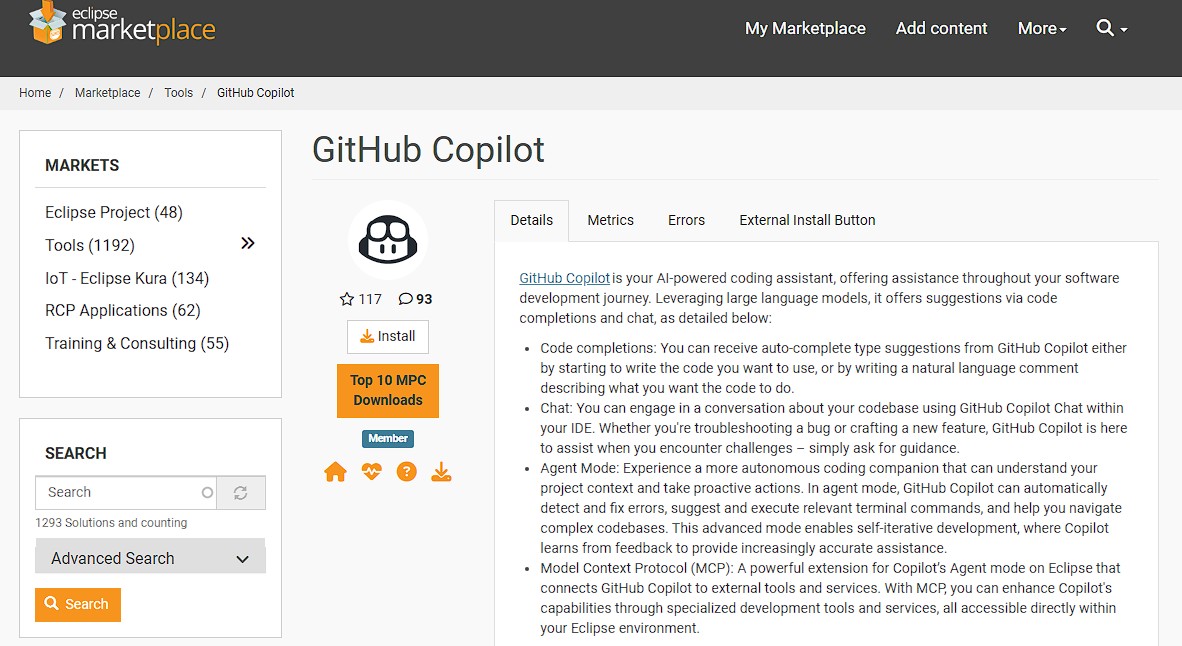
With Eclipse + ADT + the Copilot plugin and the SAP ABAP sample repos imported (see Facilitator Setup: ABAP in Eclipse in the Appendix), most of this demo runs live over real ABAP source — no live SAP backend required. The plugin now supports Ask, Agent, and Plan modes, so you can go beyond chat.
Credible live without a backend (reasoning over sample source):
- Explain (Ask) — open a class from
abap-platform-refscen-flightand askWhat is this program doing? Draw the execution flow. - Modernize — open a file from
abap-cheat-sheetsand askRefactor this using modern ABAP 7.5+ syntax, then explain each change. - Test — on a class with business logic ask
Generate ABAP Unit tests and identify edge cases. - Agent mode — ask Copilot to apply a small refactor across the class and review the edits before accepting (spot-check behavior on ADT's virtual files).
Needs a live SAP system (show as screenshots if unavailable):
- Comment-driven completion —
* TODO: select all flights for a given carrier from SFLIGHT into an internal table Optimize this SELECT query and explain why— then validate through ATC and code review
Important: Reiterate the review-required and governance message — treat generated ABAP as a draft inside transport, ATC, and code-review gates.
Discussion Points
- How much legacy ABAP does your team maintain, and how well is it documented?
- Where would code explanation save the most onboarding time?
- What review standards would you require before trusting generated ABAP?
- Would an ABAP MCP server (pulling SAP docs into Copilot) change how you'd adopt it?
☕ Break — 10 Minutes
4. Live Demo: SAP-Adjacent Development in VS Code (30 min)
Key Points
- This is the operational center of the session — real, smooth, and relevant
- Use the SAP CAP bookshop sample so the demo is genuinely SAP, not generic
- Demonstrate the full loop: understand → build → validate → test → document → review
Presenter Note: "This is the SAP Cloud Application Programming Model — a first-party SAP framework. It runs on my laptop with an in-memory database, so everything you see is real SAP development, no backend required."
Demo Setup (run once before the session)
git clone https://github.com/capire/bookshop
cd bookshop
npm install
npm install -g @sap/cds-dk
cds watch
Note:
cds watchserves the bookshop OData service locally (default http://localhost:4004) backed by an in-memory SQLite database. No SAP system or cloud account is required.
Demo Flow
| Step | Action | What It Demonstrates |
|---|---|---|
| 1 | Ask Copilot to explain the CAP project | Code understanding |
| 2 | Add a new entity or service handler | Context-driven CAP development |
| 3 | Add input validation and error handling | Defensive, production-minded code |
| 4 | Generate unit/integration tests | Test generation and coverage |
| 5 | Generate documentation | Inline docs, README, API contract |
| 6 | Summarize changes for review | Review acceleration |
🖥️ Demo: SAP CAP Service Development
- Explain:
@workspace Explain this CAP project — the data model in db/, the services in srv/, and how they connect. - Build:
In srv/, add a custom action 'submitOrder(book, quantity)' to the CatalogService that reduces stock and rejects orders that exceed available stock. - Harden:
Add validation and a clear error message when quantity is not a positive integer or the book does not exist. - Test:
Generate tests for the submitOrder action using the CAP test runtime (cds.test), including a package.json test script and the out-of-stock edge case. - Document:
Generate a README section documenting the submitOrder action, its parameters, and example HTTP requests. - Review:
Summarize the changes I made and suggest review comments or follow-up tasks for a CAP code reviewer.
Presenter Note: If you prefer not to use CAP, any service-based project framed as an SAP side-by-side extension works — but CAP gives you a credible, genuinely-SAP story for the same effort.
Success Criteria
- ✅ Copilot accurately summarized the CAP project structure (db / srv / app)
- ✅ A new
submitOrderaction was generated and refined through follow-up prompts - ✅ Validation and error handling were added without manual boilerplate
- ✅ Tests with the out-of-stock edge case were generated and run
- ✅ Documentation and a change summary were produced for review
Going Further: The SAP MCP Ecosystem (optional extension)
Note: SAP and the UI5 community now publish official Model Context Protocol (MCP) servers that plug SAP-specific tooling directly into Copilot. Three work together for SAP application development, and they complement the ABAP MCP server from Section 3 (which brings backend ABAP knowledge into Eclipse):
@sap-ux/fiori-mcp-server— generates and modifies SAP Fiori elements apps from prompts, including a Fiori UI on top of the CAP bookshop service from this demo, or on an existing OData / ABAP RESTful (RAP) service. Part of SAP/open-ux-tools.@ui5/mcp-server— the SAPUI5 / OpenUI5 development server: scaffolds UI5 apps, fetches UI5 API references, provides UI5 coding guidelines, validatesmanifest.json, and runs the UI5 linter. From the UI5/mcp-server project.@cap-js/mcp-server— the companion CAP server for the backend service layer: it searches the compiled CDS model (entities, services, HTTP endpoints) and the CAP documentation, so Copilot grounds its answers in this project's CAP model — directly useful for the bookshop demo.
| Server | Layer | Representative Tools |
|---|---|---|
@sap-ux/fiori-mcp-server |
Fiori elements apps | search_docs, list_fiori_apps, list_functionalities / get_functionality_details / execute_functionality |
@ui5/mcp-server |
SAPUI5 / OpenUI5 | create_ui5_app, get_api_reference, get_guidelines, run_manifest_validation, run_ui5_linter |
@cap-js/mcp-server |
CAP backend | search_model (fuzzy search the compiled CDS model), search_docs (local semantic search of CAP docs) |
All three use stdio transport and run via npx — no global install required. To register them with Copilot in VS Code, add them to your MCP configuration:
{
  "servers": {
    "fiori-mcp": {
      "type": "stdio",
      "command": "npx",
      "args": ["--yes", "@sap-ux/fiori-mcp-server@latest", "fiori-mcp"]
    },
    "ui5-mcp-server": {
      "type": "stdio",
      "command": "npx",
      "args": ["-y", "@ui5/mcp-server"]
    },
    "cds-mcp": {
      "type": "stdio",
      "command": "npx",
      "args": ["-y", "@cap-js/mcp-server"]
    }
  }
}
Presenter Note: "On top of the CAP service we just built, I can ask Copilot to 'add a Fiori elements list report app to my CAP project' and the Fiori MCP server scaffolds a real, governed SAP UI — not a generic web page. The UI5 server adds SAPUI5/OpenUI5 expertise: API references, guidelines, and linting. SAP recommends pairing the Fiori server with
@cap-js/mcp-serverand@ui5/mcp-serverfor the full stack."
Note: Beyond application development, community and platform-focused MCP patterns and servers are emerging for SAP BTP (subaccount and service management), ABAP via ADT (connecting to a live SAP system's ADT APIs), SAP HANA Cloud (database queries), and SAP Datasphere / analytics. These are powerful but require a live SAP or BTP connection, so they fall outside this laptop-only demo — worth knowing they exist as your SAP-connected agent strategy matures (Section 6).
Discussion Points
- Which of these steps would save your team the most time today?
- How does framing the demo as an SAP extension change how you see Copilot's value?
- What would it take to run this workflow on your own SAP-adjacent repositories?
- Where would an official MCP server (ABAP backend, CAP, Fiori, or UI5) fit into your toolchain?
5. Prompting & Context Engineering (20 min)
Key Points
- Context quality is the single biggest driver of output quality
- Repository structure and clear instructions help Copilot produce better results
- Knowing when to ask for a plan vs. an implementation changes outcomes
Why Some Users Get Better Results
| Factor | Impact |
|---|---|
| Context | Attaching the right files and selections grounds the response |
| Repository structure | Clear, well-named code helps Copilot infer intent |
| Prompt specificity | Precise asks produce precise output |
| Plan-first prompting | Asking for a plan before code reduces rework |
| Explanation-first | Asking Copilot to explain before changing builds shared understanding |
Vague vs. Context-Rich Prompts
| ✗ Vague Prompt | ✅ Context-Rich Prompt |
|---|---|
| "Fix the order service." | @workspace #file:orderService.ts Add validation so an order total must match the sum of its line items, and return a 400 with a clear message when it doesn't. |
| "Write some tests." | Generate unit tests for getOrdersByCustomerId, including an empty-result case and a dependency failure mocked out. |
| "Document this." | Generate a README section covering setup, environment variables, and how to call the orders endpoint. |
🖥️ Demo: Context Quality Comparison
- Run a vague prompt — note the generic, assumption-heavy response
- Re-run with
@workspace,#file, and a specific instruction — note the precision - Show asking for a plan first, then implementing from the approved plan
Discussion Points
- What context do you most often forget to give Copilot?
- When would you want a plan before any code is written?
- How could repository instructions encode your team's SAP coding standards?
6. Future-State Architecture: SAP-Connected Copilots & Agents (20 min)
Key Points
- The roadmap is conceptual — these scenarios are not run live
- SAP-connected scenarios depend on secure API exposure and integration patterns
- Start with read-focused copilots before automating workflows
Reference Architecture
┌──────────────────────────┐
│  Teams / Microsoft 365   │  ◄── User surface
└────────────┬─────────────┘
             │
┌────────────▼─────────────┐
│   Copilot / Agent Layer  │  ◄── Reasoning, orchestration, tools
└────────────┬─────────────┘
             │
┌────────────▼─────────────┐
│  API Management /        │  ◄── Security, throttling, governance
│  Cloud Connector         │
└────────────┬─────────────┘
             │
┌────────────▼─────────────┐
│  SAP BTP / API Exposure  │  ◄── Stable, governed API surface
└────────────┬─────────────┘
             │
┌────────────▼─────────────┐
│   SAP Backend Systems    │  ◄── Systems of record
└──────────────────────────┘
Candidate Use Cases
| Use Case | Maturity | Notes |
|---|---|---|
| Conversational retrieval of SAP information | 🟢 Start here | Read-focused, lower risk |
| Read-focused copilots for support or operations | 🟢 Start here | High value, controlled scope |
| Guided workflows | 🟡 Next | Requires governed write paths |
| Developer-assistant scenarios with SAP-connected tools | 🔴 Later | Depends on exposed APIs and tooling |
🖥️ Demo: Architecture walkthrough (diagram-led, no live SAP calls)
- Walk the diagram top to bottom, naming the responsibility of each layer
- Emphasize the API exposure and security layers as prerequisites
- Map one candidate use case onto the architecture
Discussion Points
- Which SAP information would be most valuable to retrieve conversationally?
- What APIs do you already expose through BTP or API Management today?
- What security and governance requirements would gate a read-focused pilot?
7. Q&A and Next Steps (15 min)
Key Points
- Convert interest into a concrete, low-risk next step
- Match the follow-up to the audience's maturity and pain points
- ABAP can be shown as a real, source-based demo; a live SAP environment adds execution and live-data steps
Recommended Next-Step Options
| Option | Best For |
|---|---|
| SAP Developer Pilot | A small group of SAP/SAP-adjacent engineers with a clear productivity problem |
| GitHub Fundamentals for SAP Teams | Teams earlier in GitHub maturity |
| Architecture Session for SAP-Connected Copilots | BTP, API exposure, security, integration patterns |
| Hands-On Modernization Session | Practical exercises using customer-safe, SAP-adjacent code |
Facilitator Q&A Prep
| If someone asks… | Answer |
|---|---|
| "Can you show ABAP live?" | "I can show the supported ABAP story and where Copilot fits today, but for a true hands-on ABAP session I'd want a real SAP development environment so the demo stays authentic and useful." |
| "Where's the real value if not only ABAP?" | "The strongest near-term value is often around the SAP ecosystem: integrations, APIs, side-by-side extensions, testing, documentation, planning, and code understanding." |
| "What is the right pilot?" | "Start with a focused pilot of SAP developers who already have some development maturity and a clear productivity problem, then expand based on evidence and internal champions." |
Discussion Points
- What is the one workflow you'd most want to pilot first?
- Who are the internal champions who could lead adoption?
- What evidence would your leadership need to expand from a pilot?
Appendix
Key URLs
External References & Further Reading
Note: These are the authoritative and community sources behind the ABAP-in-Eclipse content in this workshop. Share them with attendees who want to go deeper.
| Source | Topic | URL |
|---|---|---|
| Microsoft DevBlogs (May 13, 2025) | "Eclipse + GitHub Copilot = Lightspeed SAP ABAP Development" | https://devblogs.microsoft.com/all-things-azure/eclipse-github-copilot-lightspeed-sap-abap-development/ |
| GitHub Blog / Changelog | Search for "Introducing ABAP Support in GitHub Copilot for Eclipse" | https://github.blog/?s=Introducing+ABAP+Support+in+GitHub+Copilot+for+Eclipse |
| SAP Community | Search for Eclipse ADT + GitHub Copilot setup walkthroughs | https://community.sap.com/search/?ct=all&q=GitHub%20Copilot%20Eclipse%20ADT |
| Eclipse Marketplace | GitHub Copilot plugin listing | https://marketplace.eclipse.org/content/github-copilot |
| Marian Zeis Blog | "Finally: An MCP Server for ABAP" | https://blog.zeis.de/posts/2026-02-04-abap-mcp-server/ |
| GitHub | aravindhkce/abap-copilot — integrated ABAP Copilot workflow |
https://github.com/aravindhkce/abap-copilot |
| npm (SAP) | @sap-ux/fiori-mcp-server — official SAP Fiori MCP server |
https://www.npmjs.com/package/@sap-ux/fiori-mcp-server |
| GitHub (SAP) | SAP/open-ux-tools — Fiori MCP server source and SAP Fiori tools |
https://github.com/SAP/open-ux-tools |
| npm (UI5) | @ui5/mcp-server — SAPUI5 / OpenUI5 MCP server |
https://www.npmjs.com/package/@ui5/mcp-server |
| GitHub (UI5) | UI5/mcp-server — UI5 MCP server source |
https://github.com/UI5/mcp-server |
| npm (CAP) | @cap-js/mcp-server — CAP MCP server |
https://www.npmjs.com/package/@cap-js/mcp-server |
| GitHub (CAP) | cap-js/mcp-server — CAP MCP server source |
https://github.com/cap-js/mcp-server |
| SAP on Azure podcast | Episode 236 — GitHub Copilot in Eclipse | https://www.youtube.com/@SAPonAzure |
Facilitator Setup: ABAP in Eclipse
Complete this once before delivering the optional Track B (ABAP-in-Eclipse) demo. It assumes no prior Eclipse experience.
| Step | Action |
|---|---|
| 1. Eclipse | Install Eclipse IDE for Java Developers from https://www.eclipse.org/downloads/packages/ |
| 2. ADT | Help → Install New Software… → add https://tools.hana.ondemand.com/latest → install ABAP Development Tools → Trust Selected for the unsigned javax.wsdl bundle → restart |
| 3. Copilot | Help → Eclipse Marketplace… → search "GitHub Copilot" → install (use the latest, 0.20.0+, for Agent mode & MCP) → restart |
| 4. Sign in | Click the Copilot icon, authenticate with GitHub, then verify with a Hello chat prompt |
| 5. Clone | Clone the three ABAP samples into any folder (see below) |
| 6. Import | File → Import… → General → Projects from Folder or Archive (fallback: File System) for each repo |
Clone the ABAP sample repos (attendees may choose any folder):
mkdir sap-samples && cd sap-samples
git clone https://github.com/SAP-samples/abap-cheat-sheets
git clone https://github.com/SAP-samples/abap-platform-refscen-flight
git clone https://github.com/SAP-samples/cloud-abap-rap
Note: If Copilot Chat reports a language-server error on first launch, sign in to GitHub and restart Eclipse — it typically clears once authentication completes.
Note: The explain / modernize / test-generation demos run over the imported source files, so no live SAP backend is required. A connected SAP system is only needed for execution, ATC findings, and live-data operations.
Pre-Delivery Checklist
- ✅ Confirm whether a live SAP/Eclipse environment is available — if not, use screenshots for ABAP
- ✅ Clone and run the SAP CAP bookshop sample (
cds watch) and verify it serves on localhost - ✅ Verify the GitHub Copilot + Copilot Chat extensions are working in VS Code
- ✅ Pre-run each demo prompt once to confirm smooth output
- ✅ Prepare ABAP-in-Eclipse screenshots and the official reference links from this appendix
- ✅ Confirm audience maturity to pick the right follow-up offer
Demo Prompt Library
Note: Keep each prompt in its own copyable block during delivery so attendees can reuse them.
Explain this CAP project — the data model in db/, the services in srv/, and how they connect.
Explain what this service handler does and summarize the business logic in plain English.
In srv/, add a custom action 'submitOrder(book, quantity)' to the CatalogService that reduces stock and rejects orders that exceed available stock.
Add validation and a clear error message when quantity is not a positive integer or the book does not exist.
Generate tests for the submitOrder action using the CAP test runtime (cds.test), including the out-of-stock edge case. If package.json does not already have a test script, add one that runs these tests.
Generate a README section documenting the submitOrder action, its parameters, and example HTTP requests.
Summarize the changes I made, list the key risks, and suggest review comments.
ABAP-in-Eclipse prompts (run over the imported sample source — no live SAP backend needed):
What is this program doing? Draw the execution flow.
Refactor this using modern ABAP 7.5+ syntax, then explain every change you made.
Generate ABAP Unit tests for this class and identify edge cases that should be tested.
Explain what this legacy ABAP report does and outline its main processing steps.
ABAP-in-Eclipse prompts (require a live SAP system):
* TODO: select all flights for a given carrier from SFLIGHT into an internal table
Optimize this SELECT query and explain why it is more efficient.
Backup Plan
- If a demo prompt produces a weak result: Acknowledge it openly, refine the prompt with more context, and use it as a teaching moment about context engineering.
- If Copilot is unavailable or rate-limited: Fall back to pre-captured screenshots of each demo step.
- If the Eclipse Copilot language server fails to start: Sign in to GitHub first, then restart Eclipse — the error usually clears once authentication completes.
- If the audience pushes for live ABAP execution: Show the explain / modernize / test demos over the sample source (no backend needed), then redirect execution-dependent asks (ATC, transports, live data) to an architecture or pilot session as the authentic next step.
Condensed 90-Minute Version
| Section | Topic | Time |
|---|---|---|
| 1 | Context & goals | 10 min |
| 2 | Where Copilot fits in SAP | 15 min |
| 3 | ABAP support overview | 10 min |
| 4 | Live VS Code workflow demo | 35 min |
| 5 | Future-state architecture | 10 min |
| 6 | Q&A and next steps | 10 min |
Workshop guide for the GitHub Copilot for SAP Developers Workshop